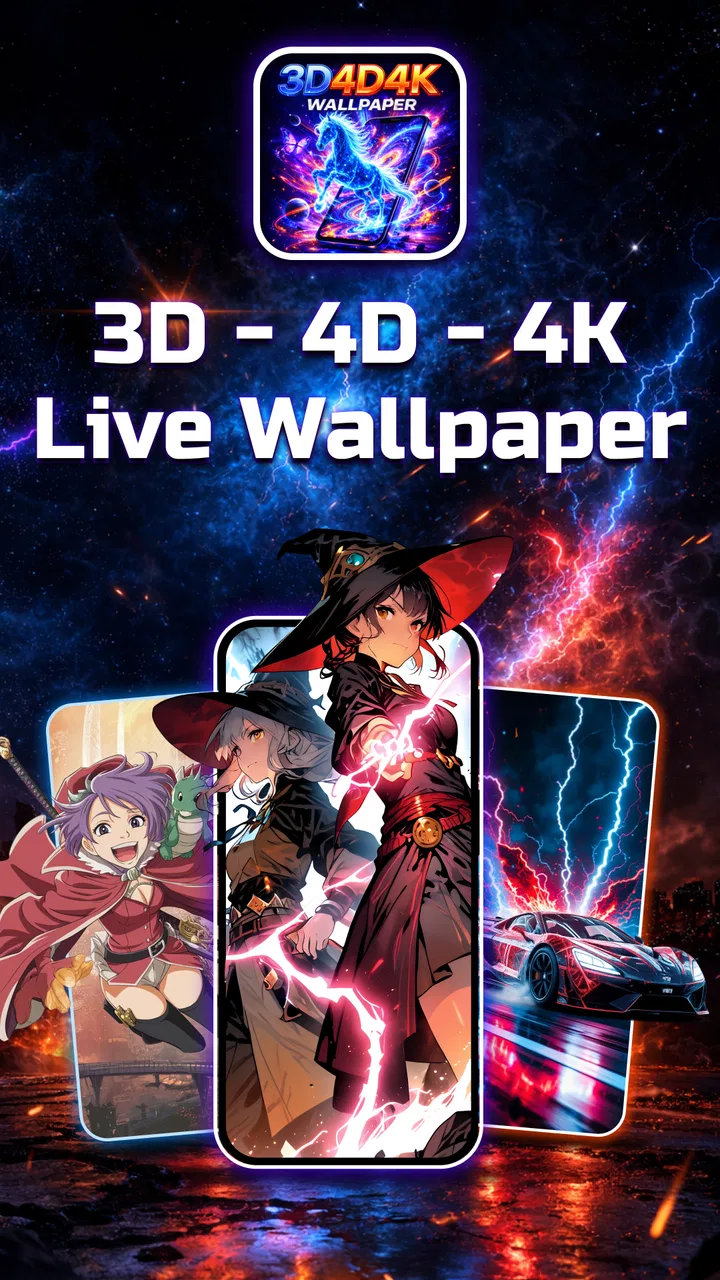
3D 4D 4K Live Wallpaper
- 4.3
- Rating
- 500.00K
- Installs
- Free
- Price

 Analysis by App-foxy
I spent time with 3D 4D 4K Live Wallpaper as a personalization app, and my first impression was simple: it is aimed at people who want their phone to feel more alive every time they unlock it. Instead of treating the background as a static image, the app focuses on depth, movement, and high-resolution visual styles. That sounds familiar in the wallpaper category, but the practical question is whether the extra motion makes your phone feel more personal or merely more distracting.
My answer is that it depends heavily on how you use your home screen. If you enjoy changing the look of your device and like the idea of a background that reacts visually as you move the phone, this app is easy to understand and appealing from the start. If you prefer a quiet, battery-conscious setup with one carefully chosen photograph, the animated approach may feel unnecessary. I would treat it as a visual customization tool rather than something essential to everyday phone use.
How I judged the app before choosing it
When I assess a live wallpaper app, I look beyond the preview images. I want to know whether the effect remains pleasant after several days, whether icons and text stay readable, how much effort it takes to change the appearance, and whether the free experience is useful without immediately requiring payment. Those points matter more than a dramatic screenshot because a wallpaper is something I see repeatedly, often for only a few seconds at a time.
You May Also Like

 Blood Strike: 2.5 Anniversary
Blood Strike’s Loadouts Turn Every Drop Into a Tactical Gamble
A close look at Blood Strike’s custom loadouts: how fast access to signature weapons reshapes its battle royale rhythm, rewards preparation, and narrows the gap between fights.

 Pandora - Music & Podcasts
Pandora’s Music Is Easy to Start, but Harder to Recover
Pandora’s strength is its low-effort path from a seed to a station. Its weak spot is how much confidence it asks you to place in connection, setup, and quiet recovery.

 8 Ball Pool
 Is Built on Rivalries, Rematches, and Routine
A close look at the rivalries, rematches, shared routines, and unanswered safety questions that turn a quick pool match into a persistent mobile community.

 Samsung Music
’s Quiet Strength Is Playing What You Already Own
Its reach comes less from spectacle than from dependable access to a personal library. That simplicity is both the app’s strongest retention engine and its ceiling.

 AccuWeather: Weather Radar
AccuWeather Review: A Quick, Clear Forecast for Everyday Decisions
For everyday plans, the best forecast is the one you can understand quickly. AccuWeather makes rain timing, radar, and local conditions easy to act on, with a few trade-offs.

 Hill Climb Racing
Why Hill Climb Racing Still Turns Crashes Into One More Run
A tiny car, a bumpy hill and one more upgrade: Hill Climb Racing keeps resurfacing because its simple chaos makes every near-miss feel personal.
More From Our News Desk



This app comes from ZAppsolution and is listed in the personalization category. It is free to install, with optional purchases priced from $3.99 to $14.99 per item. That makes the first decision fairly low-risk: I can try the visual style before spending anything. Still, I would not assume that every attractive option is included at no cost. Anyone who wants a large collection or more polished choices should look carefully at what is available before committing to a purchase.
The app has a 4.4 average from around 947 ratings and has passed 100K installs. Those figures suggest that the concept has found an audience, but they do not tell me whether it will suit every phone or every taste. A live wallpaper can look excellent in a preview and feel tiring on a small screen, especially when the home screen is already crowded with widgets and app icons.
I also considered accessibility in the broad, practical sense. The age rating is Everyone, and the minimum operating system is Android 8.0. That gives the app a reasonably broad starting point for Android users, although compatibility is still something I would check on the individual device. The current version is 1.0.10, so I would keep the app updated when possible rather than judging it only from an older installation.
What the visual idea actually changes
The main appeal is the combination of 3D and 4D-style presentation with parallax movement. In everyday use, the background can appear to shift as the phone moves, creating a sense that the image has layers instead of lying flat behind the icons. The difference is subtle when the device is still, but it becomes more noticeable when I tilt or reposition it.
That effect works best when the image has a clear foreground and background. A scene with depth, glowing objects, architectural lines, or a strong central subject benefits more than a flat pattern. This is one of the first useful tips I would give a new user: choose backgrounds according to how their composition handles movement, not simply according to how impressive the thumbnail looks.
The 4K wording is also best understood as a visual quality goal rather than a guarantee that every phone will display the background at a particular output resolution. The screen, device hardware, and system behavior all influence what I actually see. On a sharp, modern display, detailed backgrounds can look more refined; on a smaller or older screen, the difference may be less important than the contrast between the image and the icons.
My practical setup routine
I found that the best way to evaluate a wallpaper was not to change everything at once. I first chose a background with moderate movement, applied it, and used the phone normally for a while. This made it easier to judge whether the parallax effect was comfortable or whether it pulled my attention away from the icons I needed.
After that, I tested the same idea with a busier image. This revealed an important trade-off: visual detail can make a wallpaper feel richer, but it can also reduce legibility. White icons disappear against bright areas, while dark icons become difficult to read over deep shadows. A background that looks beautiful by itself may therefore be a poor choice for a work phone where I need to find apps quickly.
My preferred workflow is to reserve the most animated designs for a personal home screen and use a calmer option when I need fast access to tools. That small separation makes the app more useful. It stops the wallpaper from becoming visual noise and lets the effect serve a purpose rather than running simply because it can.
Where this app makes the strongest case
The clearest strength is immediacy. I do not need design software or editing experience to make a phone look different. A live wallpaper can change the mood of the entire device in a short session, and the parallax treatment gives the result more personality than a standard still image.
I also like the app as a way to refresh an older phone visually. Hardware upgrades are expensive, but a new background can make a familiar device feel less stale. That does not improve performance, of course, but it can make the daily interaction feel less repetitive. For someone who spends a lot of time looking at the lock screen and home screen, that emotional change is a legitimate benefit.
Another advantage is that the concept is easy to explain to a friend. If you want a background with depth and motion, this app is directly focused on that goal. It is not trying to be a full launcher, icon pack, or productivity tool. That narrow purpose can be a positive because the choice is about appearance rather than rebuilding the whole phone interface.
The best result comes from matching motion to the way you use your phone. A gentle effect can add character without interfering with reading, while an intense design is better reserved for users who actively enjoy a more dramatic screen. I would not choose the most energetic option just because it looks impressive in a preview.
Everyday scenarios where it earns its place
Imagine checking your phone during a commute. You unlock it to read a message, tilt the device slightly, and see the background shift behind the icons. That small interaction can be enjoyable, especially if you are bored with the same static image. The effect is not a major feature in the traditional sense, but it gives the phone a more responsive feel.
Another useful scenario is a personal device shared visually with a hobby or interest. Someone who likes futuristic scenes, abstract depth, or vivid backgrounds can use the wallpaper to make the phone reflect that preference without changing the entire interface. It can also be a simple conversation starter when another person notices the movement.
For a child or family member using an Android phone, the Everyone rating makes the app easier to consider from a content standpoint. I would still choose the background carefully, because a busy animated screen may be less comfortable for younger users or anyone sensitive to motion. The rating describes suitability of content; it does not mean every visual style will be comfortable for every person.
Where a different wallpaper category may fit better
This app is not automatically the best choice for someone who wants maximum simplicity. A regular static wallpaper app may be better if the priority is a clean home screen, a personal photograph, or a background that never changes as the phone moves. Static images also make it easier to preserve a consistent visual hierarchy when many widgets and shortcuts are present.
Minimalist wallpaper collections are another strong alternative for users who want the screen to disappear behind their apps. In that case, the parallax feature is not an advantage; it is an extra layer competing with the calm look they are trying to create. I would choose a minimal option for a work device, especially when quick scanning matters more than visual novelty.
Live wallpaper apps built around a single theme may also be more suitable for someone with a very specific taste. This app’s broad focus on 3D, 4D-style, 4K, and HD backgrounds is attractive when I want variety, but a dedicated nature, space, or abstract collection can feel more coherent if I already know exactly what I want. The broader approach gives flexibility, while the narrower approach can provide a stronger identity.
There is also a practical reason to skip animated backgrounds: motion can be distracting. If you read frequently, use the phone for navigation, or keep the home screen visible while working, a moving background may make the device feel busier than necessary. In those situations, I would rather use a still image with strong contrast and let the icons take priority.
What to consider before paying
The free installation is useful because it lets me test the basic experience before making a decision. I would spend time checking the backgrounds on both the lock screen and the home screen, then inspect whether the chosen design remains readable beneath my actual icons. A purchase makes more sense when I have already found a style I genuinely want to keep, not simply because a preview caught my eye.
The optional items range from $3.99 to $14.99 each. That is a meaningful spread, so I would treat the app as a try-first catalog rather than assuming the total cost is small. If I only want to refresh my phone occasionally, the free experience may be enough. If I expect to rotate through many premium-looking designs, I would set a personal spending limit before browsing.
One hidden cost is not financial: switching wallpapers can take time when I am trying to preserve a particular home-screen layout. I would take a moment to note which background works with my icon arrangement before experimenting with several alternatives. This is especially useful for people who use folders, widgets, or themed shortcuts and do not want to repeatedly adjust the whole screen.
I would also avoid judging value solely by resolution labels. A highly detailed image is not automatically better if it makes text hard to read or feels too intense after repeated use. In my experience, composition and restraint matter more than technical-sounding terminology. A simpler background with well-placed contrast can be more satisfying than an overloaded scene.
Performance and comfort decisions
Because this is a live wallpaper app, I would pay attention to how the phone feels during normal use rather than trying to measure it with a single short test. Notice whether unlocking remains smooth, whether the visual movement becomes annoying, and whether the phone behaves as comfortably as it did with a static background. The answer can vary between devices, so my own routine is more useful than a generic promise.
For longer battery days, I would choose a calmer background or return to a static image when I know I will be away from a charger. I am not claiming a specific battery impact, because that depends on the device and system, but animated visuals naturally deserve more attention than a still photograph. The sensible approach is to treat live wallpaper as a feature to manage, not something that must remain active in every situation.
Motion comfort is equally important. I would avoid designs with constant rapid movement if I found myself noticing the animation more than the information on the screen. A parallax effect should support the background, not make unlocking feel like entering a miniature visual display every time. Users who are sensitive to movement should start with the least intense-looking design and stop if the experience feels uncomfortable.
Switching from a normal wallpaper
The move from a standard background is easy conceptually but has a small adjustment period. At first, I noticed the movement because it was new. After using it for a while, the novelty became less important, and the real test became whether the wallpaper helped or hindered my routine. This is why I recommend trying it during ordinary tasks instead of deciding from the selection screen alone.
If the phone is already organized around a carefully chosen color palette, a 3D or 4D-style background may require a little visual compromise. The wallpaper can become the strongest element on the screen, leaving icons and widgets to compete for attention. I would either select a restrained image or simplify the home screen before applying a more dramatic design.
Switching back is also part of the decision. I would keep a dependable static image available for travel, work, or situations where I need the clearest possible display. That makes the app more flexible: it becomes a visual mode I can turn to when I want it, rather than a permanent choice I may eventually resent.
My recommendation for different kinds of users
I recommend trying 3D 4D 4K Live Wallpaper if you enjoy personalizing Android, like depth effects, and are willing to choose backgrounds based on readability rather than preview drama. It is particularly appealing for someone who has grown tired of static images but does not want to replace the launcher or redesign the entire phone.
I would be more cautious if your priority is battery discipline, visual calm, or instant access to many icons. In those cases, a static wallpaper or a minimalist alternative is probably the better fit. The app’s focus is its identity, but that same focus means it cannot solve every personalization need.
For most people, I would start with the free version, test one restrained background for a full day, and only then consider an optional purchase. That workflow answers the questions that previews cannot: Is the movement comfortable? Are the icons readable? Does the screen still feel good after the novelty fades? If the answer is yes, paying for a favorite style can be reasonable.
Overall, I see this as a fun and focused personalization app rather than a must-have utility. ZAppsolution has built its appeal around animated depth and detailed backgrounds, and that is enough to make a familiar phone feel more distinctive. My clear recommendation is to try it when visual personality matters more to you than absolute simplicity. Keep a static alternative for busy days, choose images with careful contrast, and judge the experience by repeated everyday use rather than by the most dramatic preview.
FAQs for 3D 4D 4K Live Wallpaper
01What is 3D 4D 4K Live Wallpaper and how does it work?
3D 4D 4K Live Wallpaper is an app that offers a collection of high-quality, interactive wallpapers for your smartphone. Utilizing advanced 3D and 4D effects, the app brings your screen to life. It supports 4K resolution, ensuring stunning visual clarity. Users can easily select and personalize wallpapers that respond to touch and motion.
02Does 3D 4D 4K Live Wallpaper drain battery life significantly?
While live wallpapers can consume more battery than static ones, 3D 4D 4K Live Wallpaper is optimized for minimal impact. It intelligently manages resources by adjusting effects based on screen status. However, usage may vary, so users should monitor battery performance, especially when using more dynamic wallpapers.
03Can I customize the wallpapers in the 3D 4D 4K Live Wallpaper app?
Yes, the app provides various customization options. Users can adjust animation speeds, select from different effects, and even personalize colors to match their preferences. The app also allows users to create unique combinations, offering a personalized visual experience on their device's home screen.
04Is 3D 4D 4K Live Wallpaper compatible with all devices?
The app supports most modern Android and iOS devices, but performance may vary depending on hardware capabilities. For the best experience, ensure your device meets the minimum system requirements. Older devices might not fully support 4K resolution or complex animations. Always check compatibility before downloading.
05Are there any in-app purchases or ads in 3D 4D 4K Live Wallpaper?
The app offers a free version with a selection of wallpapers, supported by ads. For an ad-free experience and access to premium wallpapers, users can opt for in-app purchases. This allows for expanded content and removes interruptions, enhancing the overall user experience.
Pros
- Stunning 4K quality enhances screen visuals.
- Wide variety of dynamic wallpaper options.
- User-friendly interface for easy navigation.
- Minimal battery consumption with optimized settings.
- Regular updates with new wallpaper additions.
Cons
- Some wallpapers require in-app purchases.
- Limited customization for certain wallpapers.
- May lag on older devices occasionally.
- Ads can be intrusive in free version.
- Requires consistent internet for best use.

3D 4D 4K Live Wallpaper
Gallery